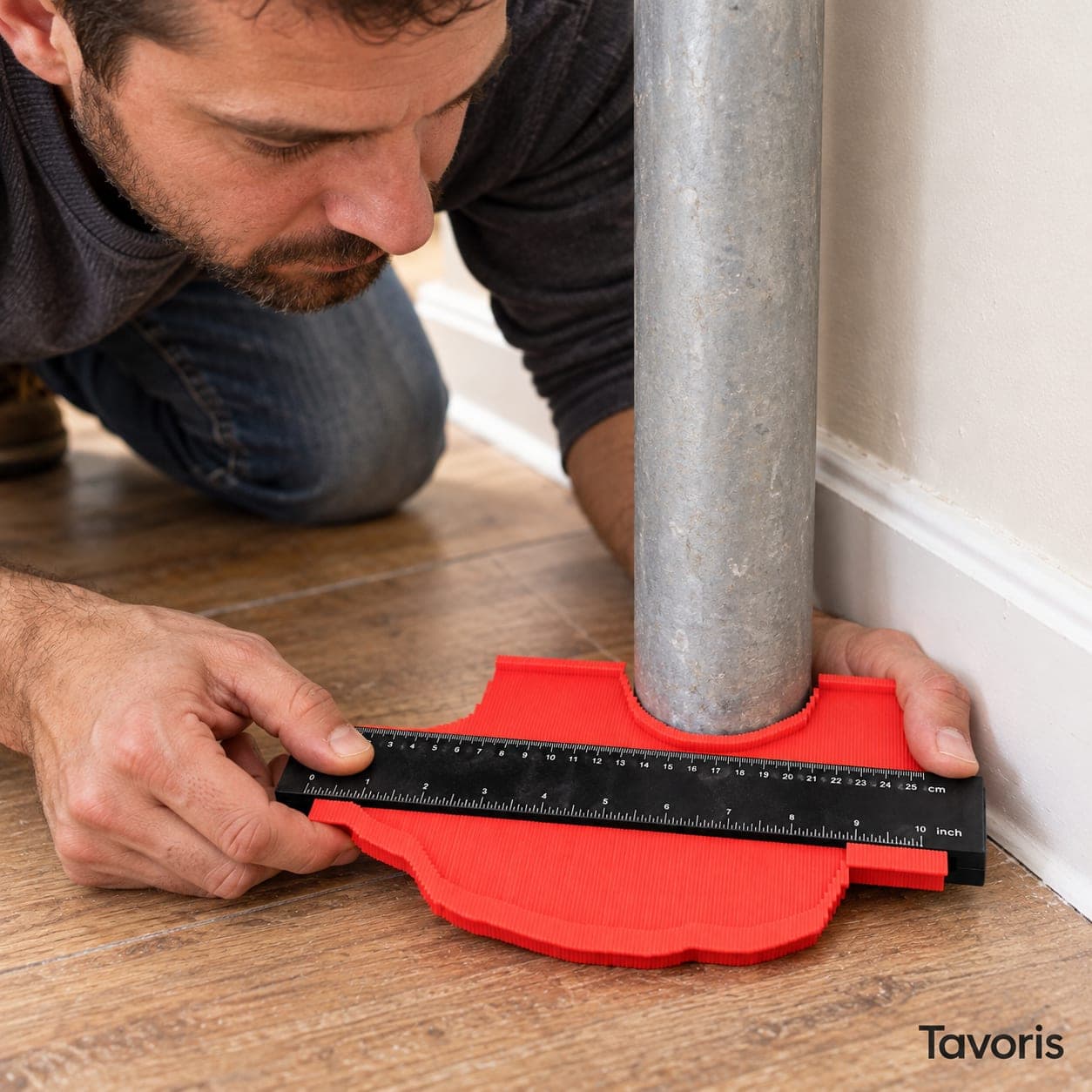
Illustrative image
Tavoris
Contour gauge for copying profiles and cutting to fit
Get it between Tuesday 10 November and Thursday 12 November
No card: you pay the courier in cash.
Sold by Extrapy · Pay on delivery · WhatsApp
By law: 14 days to return your order · 3-year legal guarantee
What it does
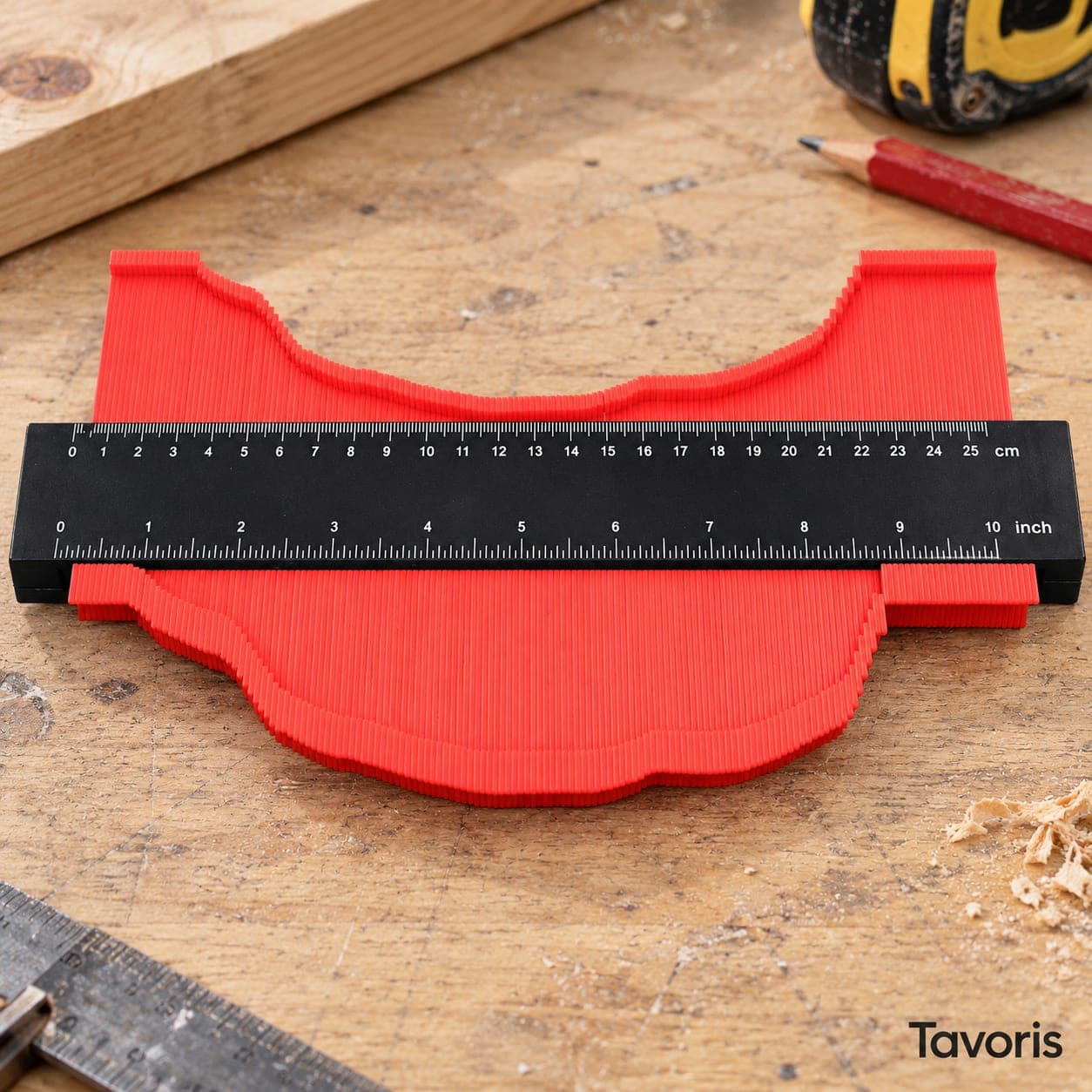
A profile gauge with a row of plastic pins that slide when you press it against a door frame, a moulding or a pipe and hold the shape by friction. You take it to the workpiece and trace the cut onto laminate, vinyl, tiles or wood. The body carries a ruler scale. It has no lock.
Specifications
| Product type | Contour gauge (profile gauge) with plastic pins, no lock |
|---|---|
| Copying width | 25 cm |
| Copying depth | Approx. 4.5 cm |
| Materials | ABS plastic body and pins |
| Scales | Ruler in centimetres and inches on the central strip |
| Weight | Approx. 150 g |
| Colour | Red with a black central strip |
| Guarantee | 3-year legal guarantee |
What's in the box
- 1 Tavoris contour gauge
- Printed instructions for use (to be confirmed)
- Cardboard packaging sleeve (to be confirmed)
Read the full description
Tavoris is a contour gauge: a marking tool for when a piece has to fit around something that is not straight. It has a red plastic body with a black central strip that carries a ruler scale, and a row of thin plastic pins that slide when you press them against a shape. Use it to cut laminate flooring around a door frame, fit a tile around a pipe or finish a skirting board against a moulding. It is made for people who do their own home improvements, and for anyone who lays floors or tiles regularly.
Profile gauge: copy a shape in one movement
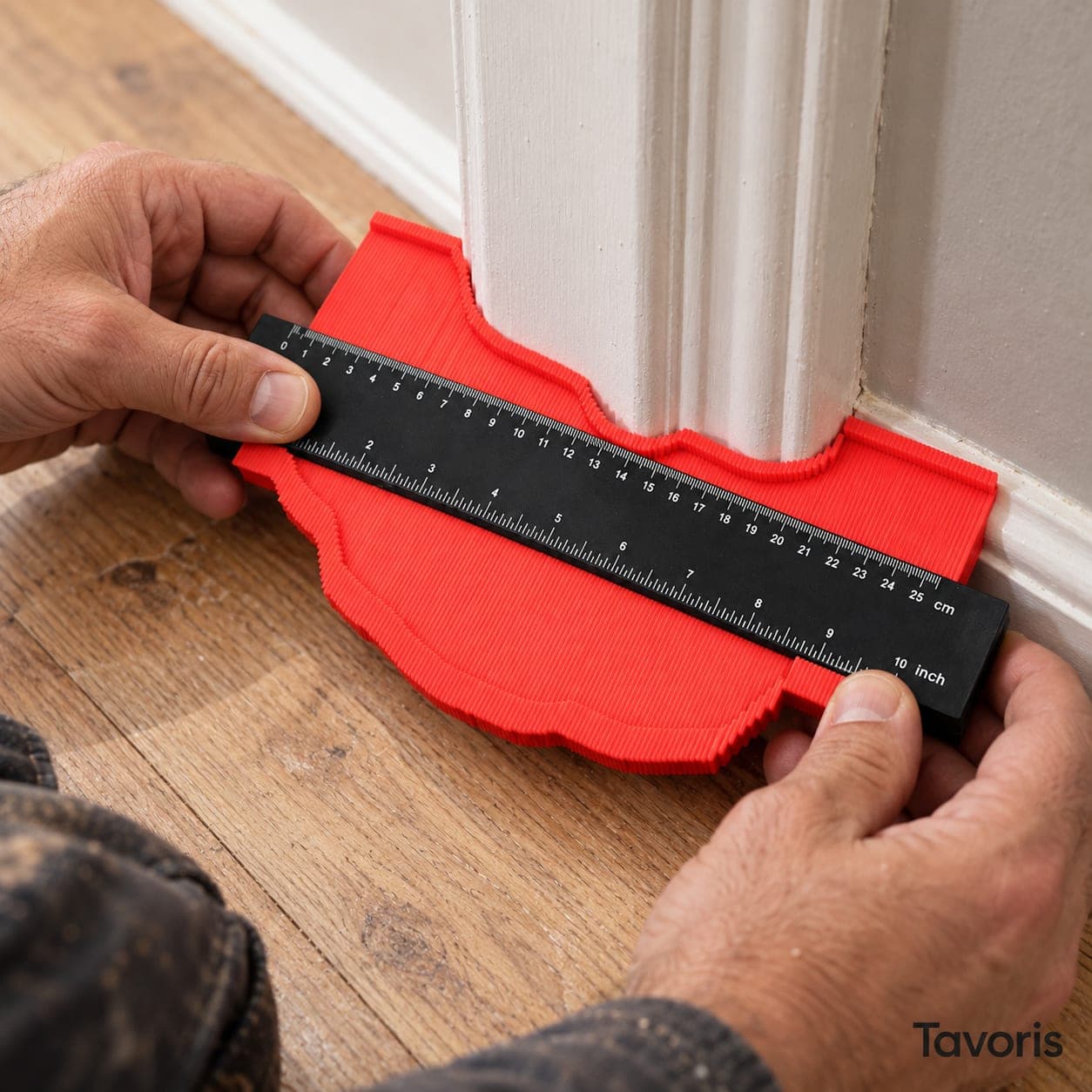
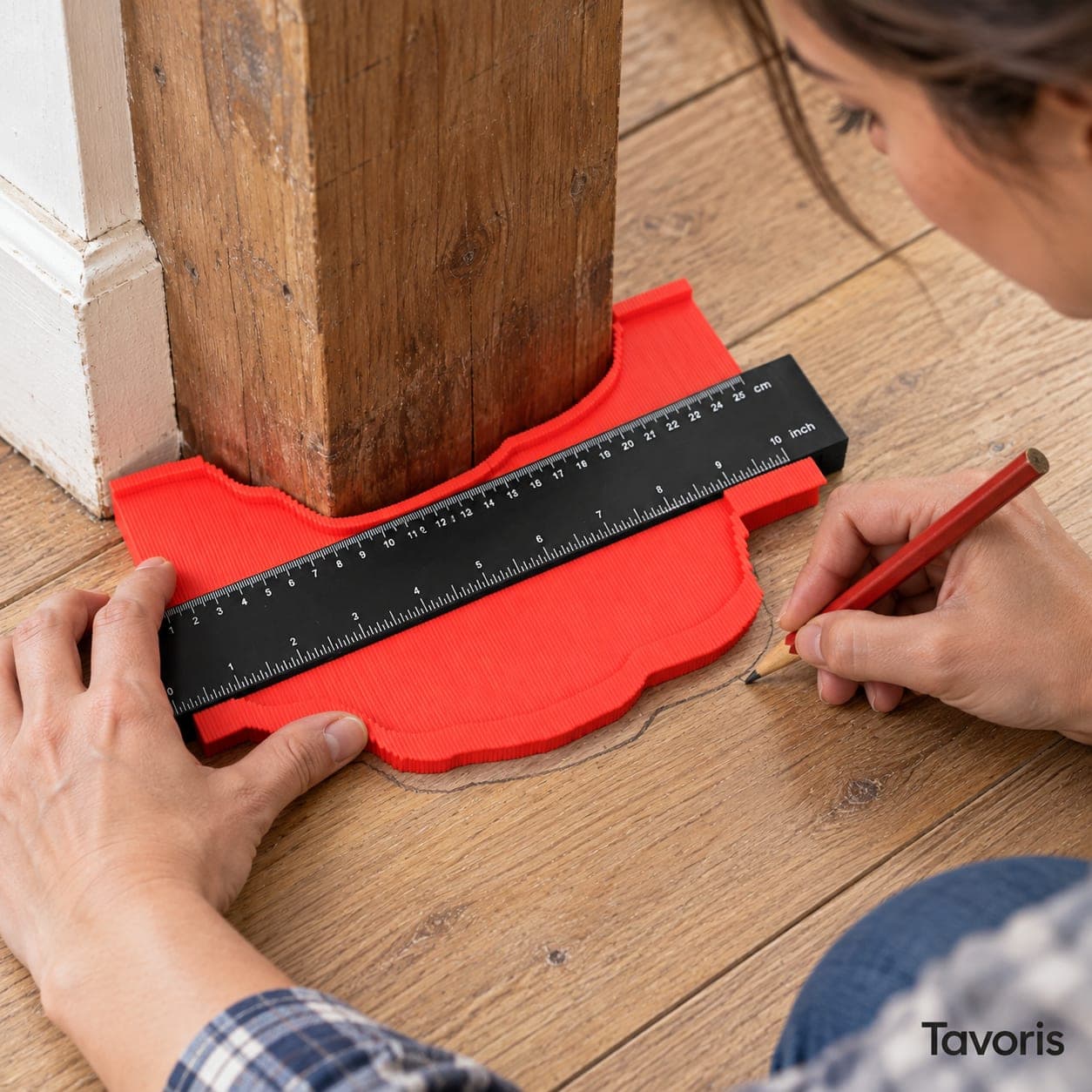
When you press the gauge against a door frame, a pipe or a moulding, each pin moves back until it touches the surface and together they reproduce its profile. You then lay the gauge on the piece you are going to cut, trace the line with a pencil and cut along it. No more measuring point by point with a ruler and trying the piece several times until it fits.
Profile copier without a lock: the pins hold by friction
This gauge has no catch or locking lever. The pins sit snugly inside the body and stay where you leave them through friction alone, enough to carry the shape to the workpiece. In return, a knock or a careless touch will shift them.
So it pays to copy and trace in one go: hold the gauge by the body, without touching the tips, carry it flat to the board and trace straight away. If it brushes against something on the way, copy again; it takes less time than correcting a cut.
A ruler scale on the body to position the cut
The black strip in the middle carries a ruler scale. Use it to measure how far from the edge of the board the cut-out starts, to check the width of the copied shape or to take a short measurement without fetching the tape. It is an aid for marking, not a precision instrument.
Contour copier for tiles, laminate, vinyl and carpet
The most common jobs are door frames, radiator pipes, uneven corners and skirting mouldings. You copy the obstacle at the height where the piece will go and transfer it to the laminate board, the vinyl tile, the ceramic tile or the carpet. The gauge just marks the line: you make the cut with the right tool for each material.
How to use the contour gauge
Line up the pins
Rest the gauge on a flat surface and push until all the pins are level.
Copy the profile
Press the gauge straight and square against the object, at the exact height where the piece will go, until the pins touch the whole shape.
Take it to the piece
Pull it away straight, hold it by the body without touching the pins and lay it at once on the piece you are going to cut.
Trace and cut
Trace the outline with a fine pencil and cut just outside the line; then trim if needed.
Care and maintenance
After use, clean dust and traces of adhesive or mortar off the pins with a dry cloth or a soft brush: dirt between the pins changes the friction and makes some move more than others. Do not leave it in the sun inside the car or near a heat source, because the plastic can warp. Store it flat, with the pins lined up, in a drawer or box where it will not be knocked by other tools.
Frequently asked questions
What is a contour gauge used for?
It copies the shape of an irregular object and transfers it to the piece you are about to cut. It is the usual tool for laying laminate or vinyl around door frames and pipes, fitting tiles around a waste pipe or finishing skirting boards and mouldings. It saves measuring point by point and recutting.
Does this contour gauge have a lock?
No. The pins stay in place by friction, enough to carry the shape from the wall to the workpiece if you hold it by the body and do not knock it. Trace straight away and, if any pin moves, copy again. If you need to keep a profile for a while or carry it a long way, a model with a lock will suit you better.
Does it work as a gauge for cutting laminate and tiles?
Yes. You copy the profile of the obstacle, trace it on the board or tile and cut with the right tool for that material: a jigsaw or handsaw for laminate, a tile cutter or angle grinder for tiles. The gauge marks the line; the quality of the cut depends on the tool you use.
What if the object is wider than the gauge?
Copy the shape in two passes. Make a mark on the object and another on the piece where the opening section ends, trace that part, line the pins up again and copy the rest starting from the mark. Check the copying width in the specifications table before you start, so you know how many sections you will need.
Can it copy very deep shapes or very tight curves?
It has two limits. The pins move back just so far, to the depth given in the specifications, so they do not reach the bottom of a very deep recess. And they copy as precisely as their thickness allows: on very tight curves or very small details the tracing is approximate. Cut slightly outside the line and fine-tune with sandpaper or a file.
How do you use a profile copier on a pipe?
Lay the gauge flat on the floor and push it against the pipe until the pins wrap around half of it. Trace that half circle on the board and use the ruler on the body to position it from the edge. To go all the way round the pipe, repeat from the opposite side. Leave the gap recommended by the flooring manufacturer.